
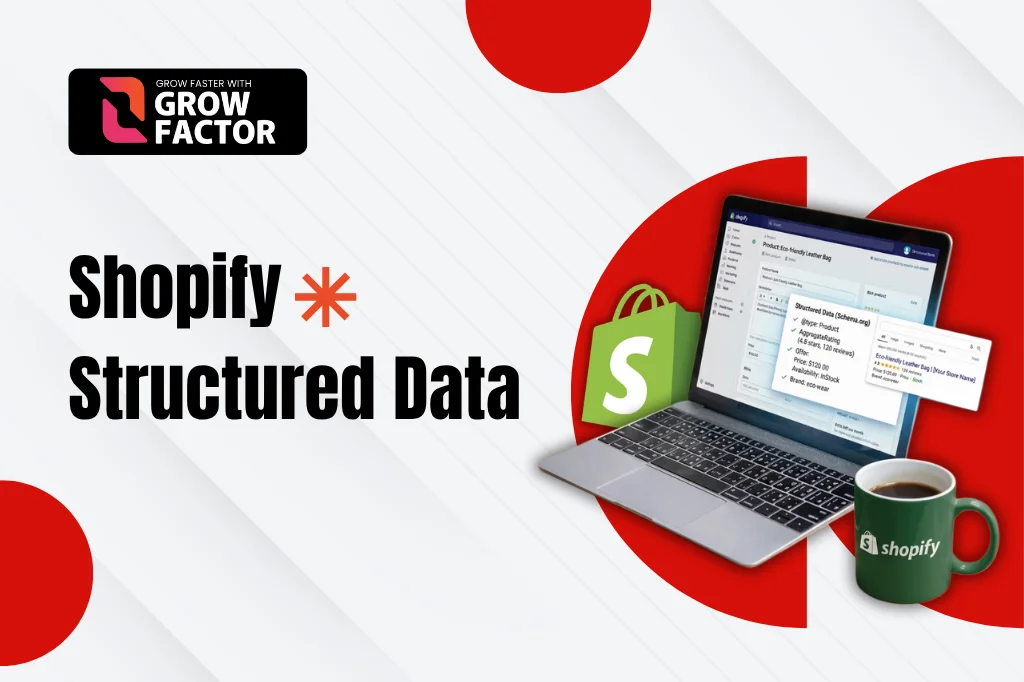
A crawler that can only guess what’s on a page indexes it more slowly and ranks it less confidently than one that can read it directly. Shopify structured data closes that gap,it’s the code layer that tells Google exactly what a product, price, or article is, instead of leaving it to infer from visible text alone.
This guide covers how structured data actually works on Shopify, the formats and schema types that matter most, and how to implement, test, and troubleshoot it written for developers and SEO professionals who need implementation detail, not a marketing overview.
Most Shopify stores ship with partial structured data already enough to avoid errors, not enough to compete for rich results. Closing that gap is usually a matter of hours, not a rebuild, once you know which schema types your theme is actually missing.
Not sure what's missing from your store's markup?
Identify missing or invalid structured data and receive expert recommendations to improve your store’s SEO performance.
What is Structured Data?
Structured data is code added to a web page that describes its content in a standardized, machine-readable format, A vocabulary search engines can parse directly instead of interpreting from unstructured text. On Shopify, this typically takes the form of schema.org vocabulary written in JSON-LD.
The distinction matters: schema markup is the vocabulary (Product, Organization, BreadcrumbList); Shopify structured data is the broader implementation of that vocabulary across a store’s templates, connecting page content to a format search engines trust.
In practice, a product page’s structured data might declare a @type of Product, then nest an offers block carrying price, currency, and availability, and a review block carrying an aggregate rating, all inside one JSON-LD script tag that never touches the visible page design.
| Without structured data | With Shopify structured data |
|---|---|
| Google infers price and availability from visible text, sometimes incorrectly | Price and availability are declared explicitly and read directly |
| Listings show a plain title and description only | Listings can show star ratings, price, and stock status |
| Breadcrumb trail may show as a raw URL | Breadcrumb trail displays as a readable path |
Why Structured Data Is Essential for Shopify SEO
- Better search visibility: rich results (star ratings, pricing, availability) make a listing stand out among plain-text competitors
- Improved SEO performance: well-labeled content helps Google index pages faster and match them to more relevant queries
- Enhanced user experience: breadcrumb trails and FAQ dropdowns give searchers more context before they even click
- Voice search optimization: structured, unambiguous data is easier for voice assistants to extract and read aloud accurately, which matters more every year as voice and conversational queries grow
- Eligibility for Google’s advanced features: Merchant Center listings, Shopping tabs, and AI-generated summaries all depend on clean, valid markup
How Structured Data Works on Shopify
Structured data sits inside a script tag, typically application/ld+json, embedded in the page’s HTML but separate from the visible content a customer sees. Search engine crawlers read this block during rendering and match its properties name, price, rating against schema.org’s defined vocabulary.
Google’s own structured data documentation remains the authoritative reference for which properties are required versus recommended for each type worth checking before assuming an app’s default output is complete.
Rendering and parsing are two separate steps. Google first renders the page executing JavaScript, loading the DOM and only then parses whatever JSON-LD is present in the final rendered output. Structured data injected late by a slow-loading script can occasionally be missed if it lands after Google’s rendering budget for that page is exhausted.
This is why static, server-rendered JSON-LD present in the initial HTML rather than injected after the fact is generally more reliable than schema added purely through client-side JavaScript.
How to Create Structured Data for Shopify
Building Shopify structured data correctly follows a repeatable sequence, regardless of which schema type is being added.
Step 1: Add Structured Data to Your Store
Choose the schema type that matches the page, Product for a listing, Organization for the homepage, BreadcrumbList for navigation and add the corresponding JSON-LD block through an app, theme code, or Shopify metafields.
Step 2: Validate Your Structured Data Markup
Run the new markup through Google’s Rich Results Test before publishing. Catching a malformed property here is far cheaper than discovering it weeks later in a Search Console report.
Step 3: Test the Markup on Selected Live Pages
Deploy to a handful of representative pages first one product, one collection, the homepage rather than pushing new structured data sitewide in a single change. This limits the blast radius if something renders incorrectly.
Step 4: Request Google to Recrawl Your Pages
Submit the updated URLs through Search Console’s URL Inspection tool to speed up revalidation, rather than waiting for Google’s normal crawl schedule to catch up on its own.
Comparing Structured Data Formats: JSON-LD, Microdata, and RDFa
Schema.org’s vocabulary can be written in three formats, but they aren’t interchangeable in practice each one carries a different maintenance cost once a theme starts changing over time.
| Format | How it works | Recommended for Shopify |
|---|---|---|
| JSON-LD | A separate script block, decoupled from visible HTML | Yes Google's preferred format |
| Microdata | Attributes embedded directly inside HTML tags | Not recommended fragile against theme edits |
| RDFa | Attributes embedded in HTML, similar to Microdata | Rare on Shopify mostly legacy implementations |
JSON-LD: The Preferred Structured Data Format
JSON-LD keeps structured data separate from a theme’s visible markup, which means a redesign or content edit is far less likely to accidentally break it, The main reason Google recommends it and most Shopify schema apps default to it.
Understanding Microdata and RDFa
Both formats require embedding attributes directly inside the HTML elements they describe, which ties the markup tightly to theme structure. A theme update that changes an element’s HTML can silently break Microdata or RDFa in a way JSON-LD simply isn’t exposed to.
Ways to Add JSON-LD Schema Markup to Shopify
Method 1: Install a Shopify Schema App
A dedicated app is the fastest route for most stores, It typically auto-generates Product, Organization, and Breadcrumb JSON-LD without touching theme files, and updates as schema.org standards evolve.
Method 2: Implement Structured Data Manually
Editing Shopify Liquid JSON-LD directly, usually inside theme.liquid or a dedicated snippet, gives full control over every property, Useful for custom attributes an app doesn’t support, like metafield-driven data.
Best Practices for Manual Schema Implementation
- Duplicate the live theme before editing, and test changes in a staging environment first
- Pull dynamic values from Liquid objects rather than hardcoding text that will go stale
- Check the page source for existing JSON-LD before adding a second block of the same type
- Comment theme code clearly so future edits don’t accidentally strip or duplicate the schema block
- Keep one schema type’s logic in one snippet file, rather than scattering it across multiple templates
Product Schema and JSON-LD for Shopify Stores
Shopify product schema is the highest-value structured data most stores implement, since it directly powers price, availability, and rating display in search results. Growfactor’s Shopify product page SEO guide covers the broader on-page factors that work alongside product structured data.
Product Schema Markup
At minimum, product schema needs name, image, description, and an offers property. Brand and GTIN strengthen eligibility further and are increasingly expected for Google Shopping and Merchant Center listings.
| Property | Required or recommended | What it controls |
|---|---|---|
| name, image, description | Required | Basic listing eligibility |
| offers (price, currency) | Required | Price display in rich results |
| brand | Recommended | Brand attribution in Shopping results |
| aggregateRating | Recommended | Star rating display |
| gtin / sku | Recommended | Merchant Center matching accuracy |
Offer Schema Markup
Offer schema carries price, currency, and availability — and it has to stay in sync with actual inventory. A listing showing “in stock” for a sold-out product is one of the most common causes of Search Console warnings.
Implementing Schema Markup for Shopify Collection Pages
Collection pages benefit from ItemList structured data, which tells Google the page represents an ordered set of products rather than a single item. Growfactor’s Shopify collection SEO guide covers how collection structure and Shopify structured data work together for category-level rankings.
ItemList schema should reference each product’s URL and position within the collection, rather than duplicating full Product schema for every item, that duplication belongs on each product’s own page, not repeated across every collection that links to it.
Paginated collections add a wrinkle: each page in the sequence needs its own ItemList reflecting only the products actually shown on that page, not the full catalog repeated across every paginated URL.
Adding Schema Markup to Your Shopify Homepage
Homepage structured data should focus on sitewide identity rather than duplicating what belongs on individual product pages. Two schema types cover almost everything a homepage needs.
WebSite Schema Markup
WebSite schema, including a SearchAction property where the store has on-site search, helps Google understand the site as a whole entity and can enable a sitelinks search box in results.
Organization Schema Markup
Organization schema ties a store’s name, logo, and social profiles together for Google. It only needs to be implemented once, sitewide not repeated per page like product or offer schema.
Schema Markup for Shopify Blog Pages
BlogPosting schema on Shopify’s blog template should include author, publish date, and a featured image at minimum, All three are commonly missing on default theme output and typically need to be added manually or through an app.
A modified date property, updated whenever a post is meaningfully revised, also helps signal freshness on evergreen guides that get periodically refreshed rather than republished as new posts.
Common Shopify Structured Data Mistakes to Avoid
These patterns show up repeatedly across theme and app combinations, regardless of store size:
- Leaving price or availability properties out of sync with actual inventory
- Duplicating the same schema type across both theme and app output
- Using placeholder or fake review data in rating schema
- Forgetting to re-validate after a theme update overwrites custom JSON-LD
- Marking up content FAQs, how-tos that isn’t actually visible on the page
- Injecting JSON-LD purely through JavaScript rather than server-rendered HTML
- Treating structured data as a one-time task instead of an ongoing maintenance item
How to Test and Validate Your Shopify Structured Data
Testing shouldn’t stop at a single tool or a single page type. A complete validation pass covers:
- Google’s Rich Results Test for individual page checks before and after publishing
- Search Console’s Enhancements report for ongoing, sitewide monitoring
- Every template type separately product, collection, homepage, and blog schema often live in different theme sections and fail independently
Re-test after every theme or app update. An update that silently overwrites or duplicates a JSON-LD block is one of the most common causes of Shopify structured data quietly breaking on an otherwise healthy store.
What Does Shopify Structured Data Implementation Cost in Pakistan?
Cost depends on scope, A full sitewide audit and rebuild is a different project than adding Product and Organization schema to a handful of templates. The SEO pricing in Pakistan page outlines how this kind of technical SEO work is typically scoped for local and international Shopify merchants.
What ROI can Shopify Structured Data deliver?
Real numbers make the case better than estimates. Growfactor’s fragrance retailer case study included structured data and technical SEO fixes as part of the foundation behind growing monthly visitors from 1,100 to 18,400, with organic orders passing 420 per month, in 8 months.
Structured data alone doesn’t produce numbers like that but a listing with visible ratings and pricing consistently earns more clicks than a plain one at the exact same ranking position, which compounds over time as click-through data itself feeds back into how Google evaluates the page.
Should you Add Structured Data yourself or hire a Shopify SEO agency?
- DIY works if: your team is comfortable validating JSON-LD in Google’s Rich Results Test and auditing for duplicate output across theme and apps
- An agency works if: you’d rather Growfactor’s technical team implement and maintain structured data as part of a broader SEO engagement
Our Shopify SEO services include structured data implementation as part of a wider technical foundation, with SEO services in Pakistan covering the complete scope for local and international Shopify stores.
Ready to see what's missing from your markup?
Book a free strategy call with GrowFactor and discover what's missing from your structured data to improve search visibility and rich results.
Frequently Asked Questions
Does Shopify support structured data by default?
Partially. Online Store 2.0 themes like Dawn output basic Product schema and some Organization data, but review, FAQ, and often breadcrumb schema still need to be added separately through an app or manual implementation.
How long does it take for structured data to show up in Google search results?
Typically a few days to a few weeks after Google recrawls and revalidates the page, valid markup doesn’t guarantee an immediate rich result, and Google controls the display timeline independently of how quickly the code itself goes live.
Can I add structured data without coding knowledge?
Yes, a schema app can generate and manage most standard types without touching theme code, though custom properties or metafield-driven data usually still require manual or developer implementation to get exactly right.
Is JSON-LD better than microdata for Shopify?
For most Shopify stores, yes. JSON-LD stays separate from visible theme markup, so redesigns and content edits are far less likely to break it compared to microdata embedded directly inside HTML elements that change with every theme update.
Final thoughts
Structured data isn’t a one-time setup on Shopify new apps, theme updates, and product changes can all quietly break or duplicate it, which means periodic validation matters as much as the initial build. Treat it the same way you’d treat any other technical SEO asset: something to monitor on a schedule, not something to check off once and forget.
Treat it the same way you’d treat any other technical SEO asset: something to monitor on a schedule, not something to check off once and forget.
Growfactor has implemented and audited structured data and technical SEO for 100+ businesses across ecommerce, professional services, and SaaS, over 6+ years of white-hat SEO work in Pakistan and internationally.
Boost Your Search Visibility
Stop guessing what's missing. Our audit identifies structured data errors and optimization opportunities across your Shopify store.


