
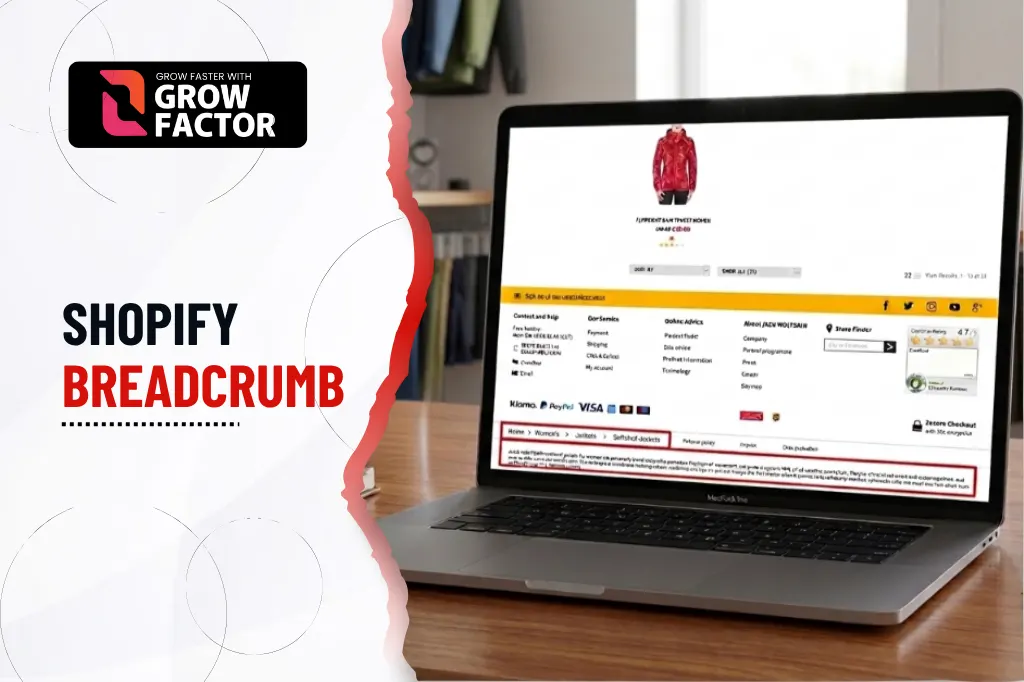
A buyer lands on a product page from Google and has no idea what category it belongs to, or how to get back to related items without hitting the back button. That’s the exact problem breadcrumb navigation solves and Shopify breadcrumb SEO done right turns a small UI element into a genuine ranking and internal linking asset.
This guide covers every method for adding breadcrumbs in Shopify, how to structure the schema correctly, and how to fix them when a theme update breaks everything. It’s written for merchants deciding how to implement breadcrumbs for the first time, and developers troubleshooting an existing setup that’s stopped working correctly.
What is Shopify breadcrumb SEO? Shopify breadcrumb SEO is the practice of implementing and optimizing breadcrumb navigation the trail of links showing a visitor’s path through your store, so it supports both usability and search rankings through structured data and internal linking.
If you’re a Shopify store owner or developer implementing breadcrumbs, this guide is built the way Growfactor approaches Shopify breadcrumb SEO for real client stores.
Want yours audited?
See if your Shopify breadcrumbs are passing structured data validation and identify issues that could affect your SEO.
What are breadcrumbs on a website?
Breadcrumbs are a secondary navigation trail, usually shown near the top of a page, that shows the path from the homepage down to the current page for example, Home > Men’s Shoes > Running Shoes > Product Name. The term comes from the Hansel and Gretel fairy tale, where breadcrumbs were dropped to trace a path back the web navigation pattern works on exactly the same principle, in reverse.
Common types of website breadcrumbs
| Type | How it works |
|---|---|
| Hierarchy-based (location) | Reflects the site's category structure, regardless of how the visitor arrived |
| History-based (path) | Reflects the actual pages the visitor clicked through, in order |
| Attribute-based | Reflects filtered attributes, like size or color, applied to reach the page |
Hierarchy-based or location breadcrumbs
This is the most common type on Shopify stores, showing the product’s place in the collection structure Home > Collection > Product regardless of how the visitor actually navigated there. This consistency is exactly why it’s the preferred type for e-commerce, since the trail stays predictable no matter how a buyer discovers the page.
History-based or path breadcrumbs
These reflect the visitor’s actual click path rather than the site’s fixed hierarchy, which can be less predictable and less useful for SEO since the trail changes per visitor. A buyer arriving from a search result sees a different trail than one who browsed there through the main menu, which undermines the consistent structural signal search engines look for.
Attribute-based breadcrumbs
Common on filtered collection pages, showing the specific filters applied, Home > Shoes > Size 9 > Black, which can help buyers retrace filtering decisions. These are most useful on stores with heavy faceted navigation, where buyers commonly apply multiple filters before finding what they want.
Why use breadcrumb navigation on Shopify?
Improving Shopify site structure with breadcrumbs
Improving Shopify site structure with breadcrumbs gives both visitors and crawlers a consistent, visible representation of how your catalogue is organized. This matters more as a catalogue grows, since a store with hundreds of products across dozens of collections benefits far more from clear structural signals than a small, simple store.
Reducing bounce rates
A visitor who can see and click their way back to a parent category is far less likely to leave the site entirely after one page view. Without this option visibly present, the only alternatives are the browser back button or the main navigation menu, both of which require more effort than a single click on a breadcrumb link.
Boosting SEO through internal linking
Internal linking Shopify breadcrumbs create happens automatically on every page they appear on, adding consistent, keyword-relevant internal links without any manual linking work. Across a catalogue of thousands of products, this represents a substantial, effectively free internal linking structure that would otherwise require deliberate manual effort to replicate.
Does Shopify support breadcrumbs by default?
Not universally. Some Shopify themes include breadcrumbs out of the box, while others including base Dawn installations in certain configurations require manual setup through Liquid code, an app, or theme customizer settings. Checking your specific theme’s documentation before assuming either way saves time versus troubleshooting a feature that was simply never enabled in the first place.
Methods to add breadcrumbs in Shopify
Using a Shopify breadcrumb app
A Shopify breadcrumb app is the fastest option for non-developers, handling both the visual navigation trail and the underlying structured data without touching theme code directly. This is usually the right starting point for merchants without in-house development resources, since most apps handle both the display and schema simultaneously.
Using a Shopify breadcrumb code snippet (Liquid)
For full control, a Shopify breadcrumb code snippet written directly in Liquid gives developers precise control over markup, styling, and the schema output the approach most technical teams prefer long-term. This method avoids ongoing app fees and gives full visibility into exactly what’s being rendered and why.
Using theme customizer and Shopify theme breadcrumb settings
Some themes expose Shopify theme breadcrumb settings directly in the customizer, letting merchants toggle breadcrumbs on or off and adjust basic display options without editing code at all. This is the simplest method by far when a theme happens to support it natively, since it requires no coding knowledge whatsoever.
How to add breadcrumbs to Shopify for free without an app
This method suits developers comfortable working directly in theme code, and it’s the approach that gives the most control without any recurring app cost.
Step 1: Access your Shopify admin
Log into your Shopify admin and navigate to Online Store > Themes to access your theme’s code editor.
Step 2: Install the Dawn theme
Dawn is Shopify’s official, actively maintained free theme and the most reliable starting point for a manual, no-app breadcrumb implementation. Its modular section architecture makes inserting new sections considerably more straightforward than older theme structures.
Step 3: Open and edit your theme code
Locate the relevant product or collection template file where the breadcrumb section needs to be inserted. Back up the existing file before making any changes, in case something needs to be reverted.
Step 4: Create the breadcrumb section
Build a new Liquid section containing the breadcrumb markup, using Shopify’s built-in objects to pull the current collection and product names dynamically, so the trail updates automatically as your catalogue changes.
Step 5: Add breadcrumbs to your theme
Include the new section in the relevant template files so breadcrumbs render consistently across product and collection pages, rather than appearing on some page types but not others.
Step 6: Customize the breadcrumb design
Apply Shopify breadcrumb CSS styles to match your theme’s typography and spacing, keeping the trail visually secondary to the main page content rather than competing with your primary heading.
Step 7: Complete final checks and testing
Test across desktop and Shopify breadcrumb mobile layout views, and validate the output before considering the implementation complete a breadcrumb trail that looks correct on desktop can still break or wrap awkwardly on smaller screens.
Shopify breadcrumb structured data and JSON-LD schema
Setting up JSON-LD breadcrumbs on Shopify
JSON-LD breadcrumbs Shopify implementations use a standard BreadcrumbList schema type, listing each level of the trail with its position and URL this is what actually enables the rich snippet in search results, not the visible HTML trail alone. Visible breadcrumbs without matching structured data behind them get zero rich snippet benefit, even if the navigation itself works perfectly for users.
| Field | Purpose |
|---|---|
| @type: BreadcrumbList | Declares the schema type to search engines |
| itemListElement | The array containing each breadcrumb level |
| position | The numeric order of each level in the trail |
| name | The visible label for that breadcrumb level |
| item | The full URL that level links to |
Fixing Shopify breadcrumb rich snippet errors
How to fix Shopify breadcrumb rich snippets issues usually starts with validating the JSON-LD output against Google’s structured data guidelines for breadcrumbs, since a single malformed field can invalidate the entire markup. Common culprits include a missing position value or a URL that doesn’t match the actual page it claims to link to.
Google Search Console breadcrumb errors
Google Search Console breadcrumb errors typically show up under the Enhancements section, flagging missing required fields or invalid URLs within the BreadcrumbList markup. Reviewing this report periodically catches schema breakage early, often before it’s ever noticed through normal browsing.
Shopify 2.0 breadcrumb implementation
Customizing breadcrumbs in Shopify OS 2.0
Customizing breadcrumbs in Shopify OS 2.0 is generally more flexible than older theme architectures, since OS 2.0 themes support modular sections that can be added or repositioned without deep template edits. Merchants on OS 2.0 themes have considerably more flexibility to move or restyle breadcrumbs without a developer’s help compared to older theme structures.
Dawn theme breadcrumb tutorial
A Dawn theme breadcrumb tutorial typically walks through adding a snippets/breadcrumbs.liquid file and including it in the product and collection templates directly. Because Dawn is Shopify’s reference theme, most other OS 2.0 themes follow a similar enough structure that the same general approach transfers with minor adjustments.
Shopify Vintage theme breadcrumb fix
Older, pre-OS-2.0 “vintage” themes often need a different approach entirely, since they lack the section architecture OS 2.0 themes rely on a Shopify Vintage theme breadcrumb fix usually means directly editing the theme’s liquid templates rather than adding a modular section. Migrating to an OS 2.0 theme is often a better long-term investment than repeatedly patching breadcrumb support onto a legacy theme.
Best Shopify themes with built-in breadcrumbs
Best Shopify themes with built-in breadcrumbs save development time entirely checking this before theme selection is worth doing if breadcrumb SEO is already a known priority for the store, rather than discovering the gap only after launch.
Shopify breadcrumb navigation best practices
Shopify breadcrumb navigation best practices consistently show up across well-performing stores:
- Keep it simple and clean: Avoid overloading the trail with more than 4–5 levels
- Consider size, placement, and design: Position breadcrumbs above the page title, not competing visually with it
- Use a horizontal layout and category path structure: Reflect the actual category path Shopify breadcrumbs follow, not an arbitrary order
- Be consistent and include clickable links: Every level except the current page should be a working link
- Highlight the current page: Style the final, non-clickable item distinctly from the linked levels before it
- Use responsive design for mobile layouts: Shopify breadcrumb mobile layout should truncate gracefully rather than wrap awkwardly on small screens
- Test for usability and accessibility: Confirm screen readers announce the trail correctly using proper semantic markup
Shopify breadcrumb CSS styling and customization
Shopify breadcrumb CSS styles should stay visually subordinate to primary navigation and page titles small font size, muted color, and clear separators (usually > or /) between levels work best without competing for attention. Avoid using the same font weight or size as your main page heading, since that visually confuses the trail with primary content.
How to fix missing breadcrumbs in Shopify after a theme update
Theme updates are one of the most common causes of breadcrumbs suddenly disappearing, since an update can silently overwrite custom sections or reset a native toggle setting.
Option 1: Check your theme settings first
Many themes include a simple toggle for breadcrumbs that can get reset to off during a theme update check this before assuming code was actually removed. This takes seconds to verify and resolves the issue immediately if it’s the cause.
Option 2: Use a Shopify app (no code needed)
If the theme’s native breadcrumb support was removed or is unreliable after an update, a dedicated app can restore functionality without touching code directly, making this the fastest fix for merchants without developer support on hand.
Option 3: Add breadcrumbs manually using Liquid code
For themes without native support, reinserting the same Liquid section used before the update is usually the fastest fix, assuming the original code was backed up somewhere which is exactly why keeping a backup of any custom section is worth the small extra effort.
Common Shopify breadcrumb mistakes to avoid
- Adding visible breadcrumbs without the corresponding JSON-LD structured data behind them
- Showing breadcrumbs on the homepage, where they add no navigational value
- Using history-based breadcrumbs on an e-commerce site, where hierarchy-based trails are almost always more useful
- Never testing breadcrumb schema after a theme update
- Overloading the trail with too many levels, making it visually cluttered rather than helpful
What does it cost to add breadcrumbs to a Shopify store in Pakistan?
Cost depends on theme compatibility and whether structured data needs to be built from scratch. Growfactor’s SEO services in Pakistan start with a free audit so pricing reflects your store’s actual theme and technical setup, not a flat package.
What ROI can breadcrumb navigation deliver?
Real numbers beat estimates. Growfactor’s fragrance retailer case study included breadcrumb and structured data implementation as part of the technical foundation behind growing monthly visitors from 1,100 to 18,400 and organic orders past 420 per month in 8 months.
Should you handle this yourself or hire a Shopify SEO agency?
- DIY works if: your team is comfortable editing Liquid code and validating structured data directly
- An agency works if: you’d rather Growfactor’s on-site SEO team handle breadcrumb implementation as part of a broader technical review
- Growfactor’s Shopify technical SEO audit services include breadcrumb and schema validation alongside wider Shopify SEO services
Talk to Shopify SEO Experts
Book a free strategy call with GrowFactor and get a tailored Shopify SEO strategy to improve your rankings, organic traffic, and sales.
Frequently Asked Questions
Does Shopify support breadcrumbs by default?
Some themes do, others don’t it depends entirely on the specific theme and version, so check theme settings before assuming breadcrumbs are missing entirely.
Do breadcrumbs affect my Shopify store's SEO rankings?
Indirectly, yes, through improved internal linking, clearer site structure for crawlers, and rich snippet eligibility in search results when structured data is implemented correctly.
Where is the best place to put breadcrumbs?
Directly above the page title, below the main navigation header, where they’re visible without competing with primary content.
Why do visitors need breadcrumb navigation?
It gives them an immediate, clickable path back to broader categories without relying on the browser’s back button or main navigation menu.
What mistakes should I avoid when using breadcrumbs on a site?
Skipping structured data, showing breadcrumbs on the homepage, using history-based trails on an e-commerce site, and never testing after a theme update.
Final thoughts
Shopify breadcrumb SEO is a small implementation with outsized returns better navigation, cleaner internal linking, and rich snippet eligibility, all from one relatively simple feature.
Growfactor has implemented and audited Shopify breadcrumb SEO for 100+ businesses across e-commerce, professional services, and SaaS, over 6+ years of white-hat SEO work in Pakistan and internationally.
Audit Your Shopify Breadcrumbs
Stop assuming your breadcrumbs are working correctly. Our audit identifies structured data and implementation issues affecting your Shopify SEO.


