Google is spending crawl budget on your internal search results pages instead of your new product listings. That’s the kind of quiet inefficiency a properly configured Shopify robots.txt fixes and getting it wrong can just as easily block pages you actually want indexed.
This guide covers exactly how Shopify robots.txt works, what’s customizable, and how to configure it for genuine crawl control. It’s written for developers and technical SEOs who need to go beyond “does my store have a robots.txt file” and into deliberate, tested configuration.
Robots.txt is a plain text file at the root of a domain that gives crawlers directives about which parts of a site they should or shouldn’t crawl. A Shopify robots.txt file works the same way, but with platform-specific defaults and a more limited customization model than a fully self-hosted site.
If you’re a Shopify developer or SEO professional working on crawl control, this guide is built the way Growfactor configures Shopify robots.txt for real client stores.
Want yours reviewed?
See which pages and resources your robots.txt is preventing Google from accessing with a data-driven SEO audit.
What is robots.txt?
Robots.txt uses simple directives, Disallow, Allow, Sitemap to tell crawlers what to skip and where to find your sitemap. Every major search engine crawler respects this file, though it’s a request, not an enforced restriction; well-behaved crawlers like Googlebot honor it, but robots.txt alone doesn’t prevent access outright.
Robots.txt predates Shopify and most modern e-commerce platforms entirely, it’s a decades-old web standard that every platform, including Shopify, has to implement in a way that fits its own architecture and URL structure.
Shopify's default robots.txt rules and directives
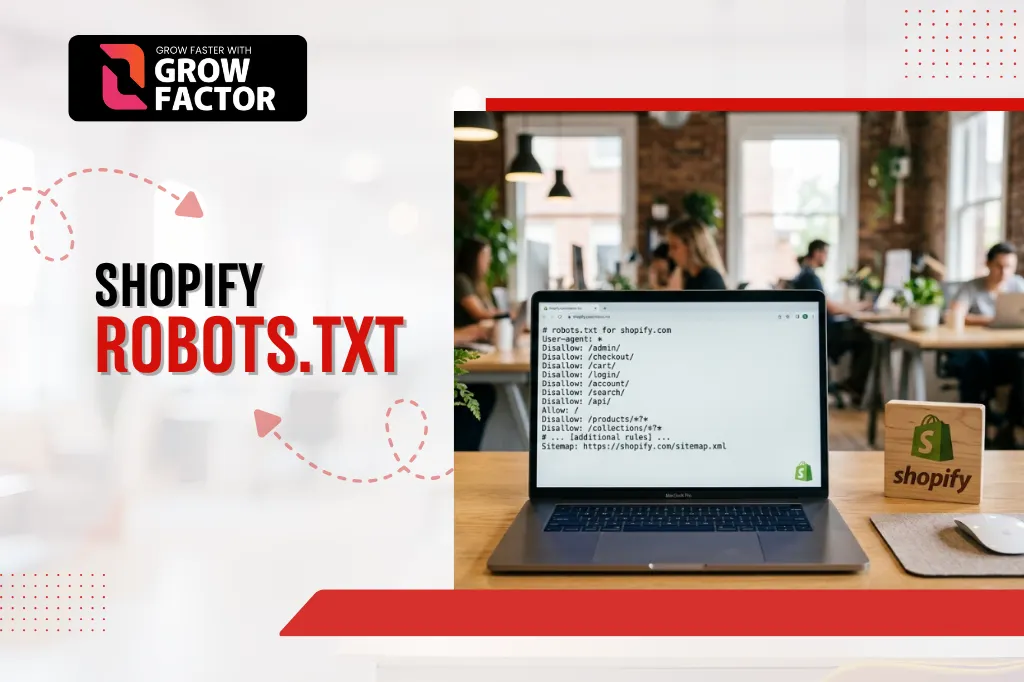
Shopify robots.txt rules and directives ship with sensible defaults out of the box, blocking internal search results, cart, and account pages while allowing product, collection, and blog content to be crawled. These Shopify crawler instructions are generated automatically and apply to every standard store without configuration.
These defaults reflect years of Shopify’s own SEO learnings applied across its entire merchant base, most stores never need to touch them at all, and the majority of customization needs come from stores with non-standard app-generated URLs.
Is Shopify robots.txt customizable?
Yes. Since 2021, Shopify has allowed direct editing of robots.txt through a robots.txt.liquid template, replacing the earlier fully locked-down version. This means Shopify robots.txt is now customizable in ways it previously wasn’t, though the editing model still works within Shopify’s templating system rather than allowing a fully freeform text file.
Before this change, merchants had no way to modify robots.txt directly, which meant crawl-control decisions were entirely in Shopify’s hands. The current system strikes a middle ground enough flexibility for genuine technical SEO work, without opening the door to accidentally breaking the file’s basic structure.
How to edit robots.txt on Shopify
Method 1: Manually edit robots.txt.liquid
Access the file directly through your theme’s code editor and modify the Liquid template that generates your Shopify robots.txt output. This gives full control over the exact rules generated, but requires comfort working directly in theme code and testing changes before they go live.
Method 2: Using a Shopify robots.txt app
Several apps provide a simpler interface for adding or removing rules without touching Liquid code directly useful for merchants without direct developer support. These apps typically generate the same underlying Liquid modifications behind a more approachable UI.
Shopify robots.txt example
A typical default entry disallows /search, /cart, and /account, while explicitly allowing crawlers to access product and collection paths, and includes a reference to the sitemap location. Reviewing your own store’s live robots.txt file against this baseline is a quick way to spot unexpected custom rules left over from a previous developer or app.
Customising robots.txt.liquid
Add a new rule to an existing group
Insert a new Disallow or Allow line within an existing user-agent group in the Liquid template, rather than creating a duplicate group for the same crawler. Duplicate user-agent groups can cause inconsistent interpretation across different crawlers, so consolidating rules within one group per crawler is the safer approach.
Remove a default rule from an existing group
Comment out or delete the specific line generating the default rule Shopify’s template structure makes individual rules identifiable and removable without affecting the rest of the group. Always confirm you understand why a default rule exists before removing it, since most defaults were added for a specific, well-tested reason.
Add custom rules
New groups or directives can be added for specific paths such as blocking a staging subdirectory or a filtered URL pattern generating thin, duplicate content. Test each new rule individually rather than adding several at once, so any unintended side effect is easy to trace back to its source.
Why customise Shopify's robots.txt?
Crawl budget
Blocking low-value paths (filtered collections, internal search, tag archives) directs more of Google’s limited crawl budget toward pages that actually matter for rankings. This matters most for stores with large catalogues, where crawl budget is genuinely finite and every wasted crawl on a low-value URL is one less crawl spent on a product page.
Thin content
Pages with little unique value, auto-generated tag pages, empty search results are strong candidates for exclusion, since they add nothing to rankings and dilute crawl attention. Blocking these through robots.txt is often simpler and more reliable than trying to noindex every individual thin page one at a time.
Shopify robots.txt for specific page types
Product pages
Shopify robots.txt for product pages is allowed by default blocking these entirely would be a serious, easily avoidable mistake since product pages are usually the core of a store’s organic traffic. Double-check this remains true after any custom rule changes, since an overly broad Disallow pattern can accidentally sweep up product URLs.
Collections
Shopify robots.txt for collections generally stays open too, though filtered or sorted collection URL variants are common candidates for exclusion if they generate excessive thin duplicates. The base collection URL should almost always stay crawlable even when its filtered variants are blocked.
Blog posts
Shopify robots.txt for blog posts is open by default, since blog content typically supports organic discovery and shouldn’t be blocked without a specific reason. Blog tag or author archive pages are a more reasonable candidate for exclusion than individual posts themselves.
Redirects
Shopify robots.txt for redirects doesn’t need special handling in most cases a properly configured 301 redirect resolves before robots.txt directives are even evaluated for the destination URL. The exception is if the redirect’s source path happens to match a broader Disallow pattern, which is worth checking after any bulk redirect import.
How Shopify robots.txt affects SEO and search visibility
Impact of Shopify robots.txt on search visibility can go either way. Configured well, it focuses crawl attention on your best content. Configured poorly, it can accidentally block pages you need indexed Shopify robots.txt and Google indexing are directly connected, since a blocked page generally can’t be crawled or indexed at all. This makes robots.txt one of the highest-leverage, and highest-risk, files on the entire store.
Test and verify your Shopify robots.txt file
- View yourstore.com/robots.txt directly in a browser to confirm current rules
- Use Google Search Console’s robots.txt Tester to check whether specific URLs are blocked
Test any newly added rule against both the intended URL and similar URLs that shouldn’t be affected - Repeat this testing process after any theme update, since a theme change can sometimes overwrite or alter the Liquid template unexpectedly
How do I know if my robots.txt file is working?
Check Google Search Console’s Coverage report for pages marked “Blocked by robots.txt” and confirm that list matches your actual intentions not pages you meant to keep crawlable.
Best practices for configuring robots.txt in Shopify
- Never block your entire site accidentally with a blanket Disallow: /
- Keep the sitemap reference in robots.txt pointing to the correct sitemap.xml location
- Document every custom rule so future developers understand why it exists
- Re-test after every theme update, since theme changes can sometimes affect the Liquid template
Common Shopify robots.txt mistakes to avoid
- Blocking product or collection pages unintentionally through an overly broad rule
- Assuming robots.txt prevents indexing entirely (it only prevents crawling already-indexed pages can remain indexed)
- Forgetting to update the sitemap reference after a domain change
- Never testing changes before publishing them live
- Copying a generic robots.txt template from a non-Shopify site without adapting it to Shopify’s URL structure
The second mistake on this list causes more confusion than any other merchants often assume blocking a page in robots.txt will remove it from search results immediately, when in reality a noindex tag is the correct tool for that specific goal.
What does it cost to optimize robots.txt in Pakistan?
Cost depends on how much custom configuration your store’s URL structure needs. Growfactor’s SEO services in Pakistan start with a free audit so pricing reflects your store’s actual crawl setup, not a flat package.
What ROI can robots.txt optimization deliver?
Real numbers beat estimates. Growfactor’s fragrance retailer case study included robots.txt and crawl-path configuration as part of the technical foundation behind growing monthly visitors from 1,100 to 18,400 and organic orders past 420 per month in 8 months. Robots.txt fixes rarely show up as a standalone metric — their value is redirecting crawl attention toward pages that can actually convert.
Should you handle this yourself or hire a Shopify SEO agency?
- DIY works if: your team is comfortable editing Liquid templates and testing changes in Search Console directly
- An agency works if: you’d rather a team experienced with Shopify robots.txt configuration handle the setup and ongoing audits
- Growfactor’s Shopify technical SEO audit services include robots.txt review as part of a full technical audit
Talk to Shopify SEO Experts
Connect with our team to discuss your store's SEO challenges and discover the best strategy for long-term growth.
Frequently Asked Questions
How to fix "Blocked by robots.txt" on Shopify?
Identify the specific rule blocking the page in your robots.txt.liquid file, remove or adjust it, then request re-crawling through Search Console.
When should you edit a Shopify robots.txt file?
When you need to block genuinely low-value pages (internal search, filtered duplicates) or add a sitemap reference after a domain migration not as a routine maintenance task.
Why is a page "Indexed though blocked by Shopify robots.txt"?
Google can sometimes index a URL based on external links pointing to it, even without crawling the page content directly, if robots.txt blocks the crawl but doesn’t prevent the URL from being referenced elsewhere.
Can Shopify robots.txt block certain pages?
Yes, that’s its core function. Specific paths, patterns, or entire sections can be excluded from crawling through Disallow directives in the Liquid template.
Conclusion
Shopify robots.txt isn’t a file to set once and forget, It’s a crawl-control tool that needs periodic review as your store’s URL structure, apps, and content grow. Getting it right means neither leaving Shopify’s sensible defaults untouched when custom rules are genuinely needed, nor over-customizing to the point of accidentally blocking pages that should be driving traffic.
Growfactor has configured and audited Shopify robots.txt setups for 100+ businesses across e-commerce, professional services, and SaaS, over 6+ years of white-hat SEO work in Pakistan and internationally.
Optimize Your Robots.txt
Analyze your robots.txt with real crawl data and receive expert recommendations to improve your Shopify store's SEO.